Service agreements that book themselves
Maintenance contracts raise each visit as a job on schedule, bill on their own cycle and renew on their terms.

Claims, estimates, scheduling, dispatch, the field app, invoicing and the books — on one record. The office, the crew, the customer and the adjuster finally look at the same job.
Built for water & fire lossescommercial buildsrenovationsservice callsmaintenance contracts

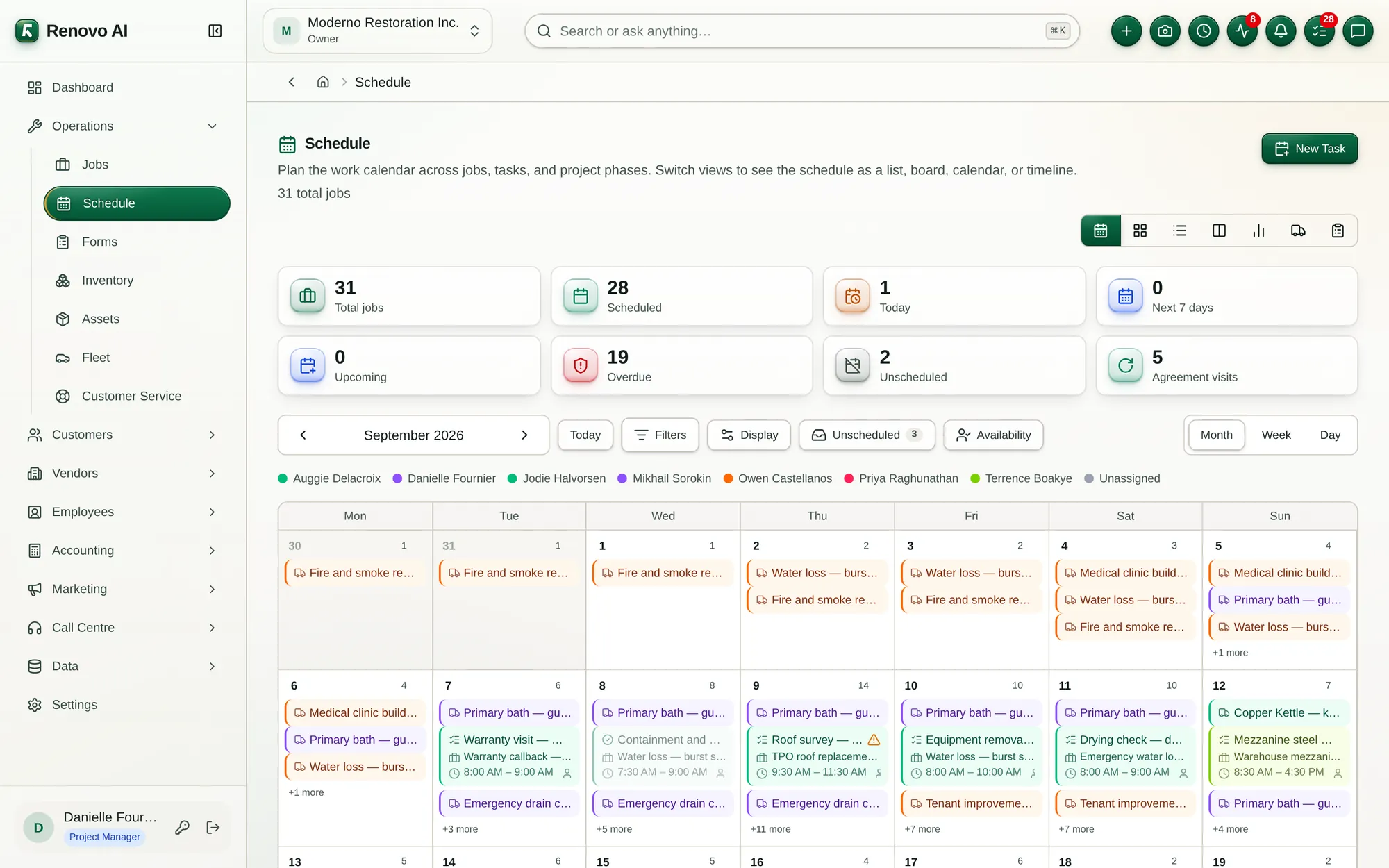


Pick yours. Every screen below is the live product, on the demo company we run for tours.
Water, fire and mould claims with the carrier, the adjuster and the deductible on the record — and the drying, contents and approvals that decide what you get paid.
Projects with the paperwork a site actually runs on, budgets by cost code, and billing that follows the work instead of chasing it.

Dispatch, the technician app and recurring agreements on one system — so every visit is booked, done, invoiced and paid.
Most contractors run a job across five apps and a spreadsheet. In Renovo it is one record, and everyone — office, crew, customer, adjuster — works on it.
The customer, the site and the loss or the request go on one record. Claims arrive with the carrier and the adjuster; service calls with the equipment on site.

Estimates built from your catalog and cost codes, with good-better-best options and add-ons. The customer picks, signs and pays the deposit online.

Drag work onto the calendar by day, week or hour. Crews see it on their phones, and everyone booked is told and reminded.
Technicians navigate, clock in, capture photos, readings and forms, and get signatures — offline if the basement has no signal.
Phases, tasks, daily logs and the budget beside them. See what is late before the customer does.
Progress, deposit and final invoices from the job itself. Payments recorded, reminders sent, balances you can trust.

The ledger writes itself from every invoice and bill. Profit & loss, balance sheet and a WIP schedule — without an export.

Today's jobs, directions, the clock, photos, moisture readings, forms and signatures — on the phone they already carry. Whatever they capture is in the office before they are back in the van.


The parts of the business that usually live somewhere else, already connected to the job.
Maintenance contracts raise each visit as a job on schedule, bill on their own cycle and renew on their terms.
Every Share button can ask for a signature. The last signer seals the PDF with a certificate of completion.
Customers review, choose options, sign and pay — no account to create.
Vehicles, fuel and maintenance; tools and equipment with their service history; rentals billed by the period.

Complaints from intake to resolution, with first-response time and satisfaction scored for you.

A double-entry ledger derived from your invoices and bills, and audited against them.
Employees, time off, timesheets and payroll — one login across all your companies.
Purchase orders raised from the budget's lines, and stock tracked on the trucks and in the warehouse.
Narrated tours recorded on the live app. All 25 tours →
 RestorationWater, fire and mould — from the first call to the carrier's payment.Explore →
 ConstructionBudgets, phases, RFIs and progress billing on one project record.Explore →
 RenovationEstimates, selections and change orders for the work people live with.Explore →
 ServiceDispatch, agreements and the technician app for the recurring call.Explore →
Tell us how your jobs run today. We will show you the same work in Renovo, and map the modules, the rollout and the plan that fit.