RENOVO FOR CONSTRUCTION

Construction
control from drawing to close-out.

Run commercial and residential construction in one Renovo AI workspace—from project overview, proposals, drawing takeoff, schedule, RFIs, daily logs, submittals, deficiencies, and punch lists to KPIs, field assets, HR, accounting, and CCDC or AIA progress billing.

Construction professional at work
THE CLEAR DISTINCTION / 01Commercial-first project delivery

Renovo AI connects project controls, field execution, accounting, people, inventory, and assets in one construction operating record.

Offices · warehouses · industrial facilities · multi-residential · homes

01Offices and mixed-use
02Warehouses and distribution
03Industrial and manufacturing
04Multi-residential and homes
THE RENOVO CONSTRUCTION OS / 02

Every project control.
One live record.

Renovo AI is not a generic task tracker. It is the operating system for commercial builders—connecting the project overview, preconstruction, field controls, financials, communication, people, inventory, and assets from pursuit through close-out.
PROJECT OVERVIEWTAKEOFFRFIsDAILY LOGSPROGRESS BILLINGCCDC + AIAFIELD ASSETSKPIs
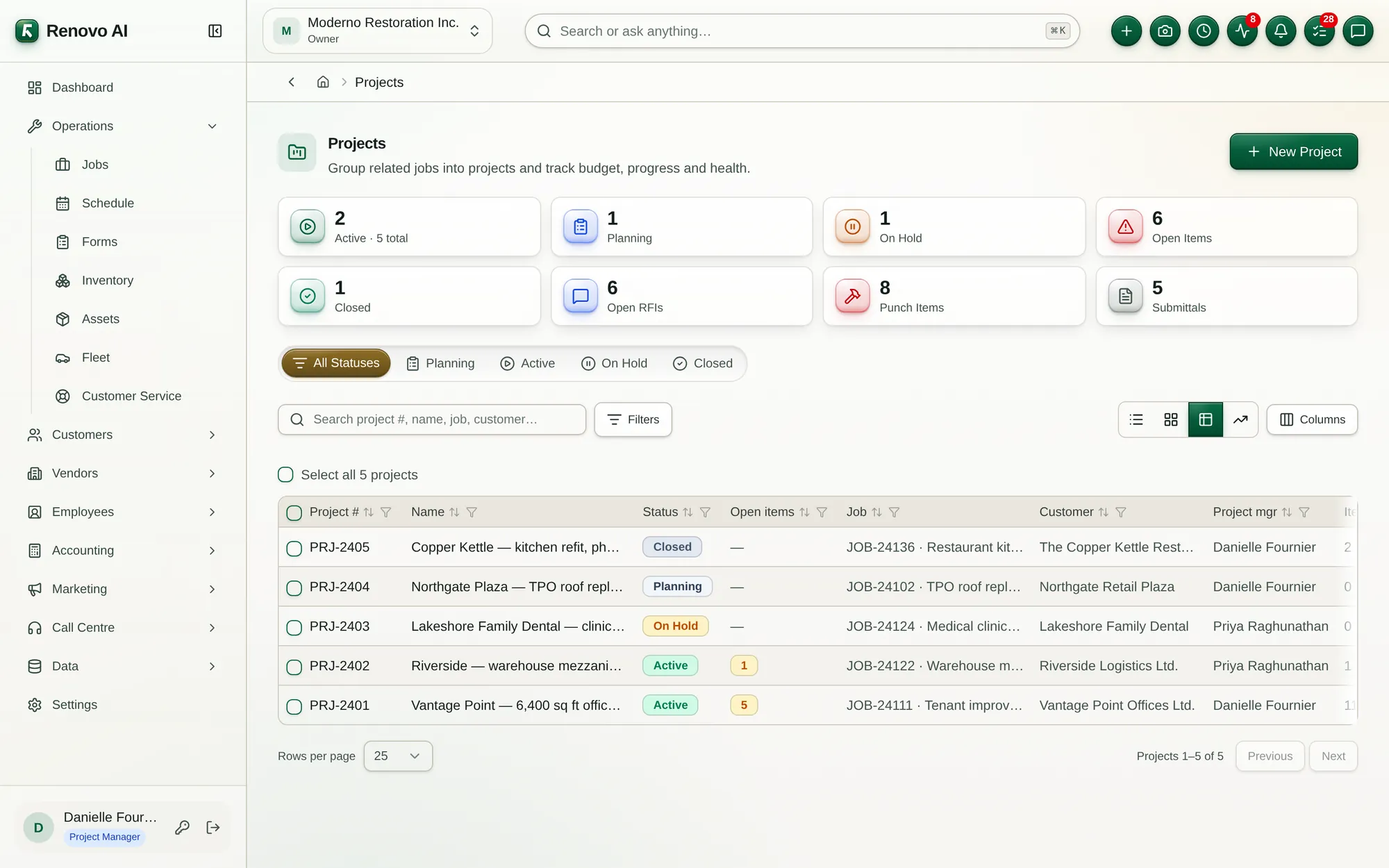
Renovo Projects overview dashboard showing active projects, open items, RFIs, punch items, submittals, project managers, and logs
PROJECT OVERVIEW DASHBOARDPortfolio health and project priorities—visible the moment you sign in.

Review active work, open controls, responsible leaders, recent activity, and the projects that require action.
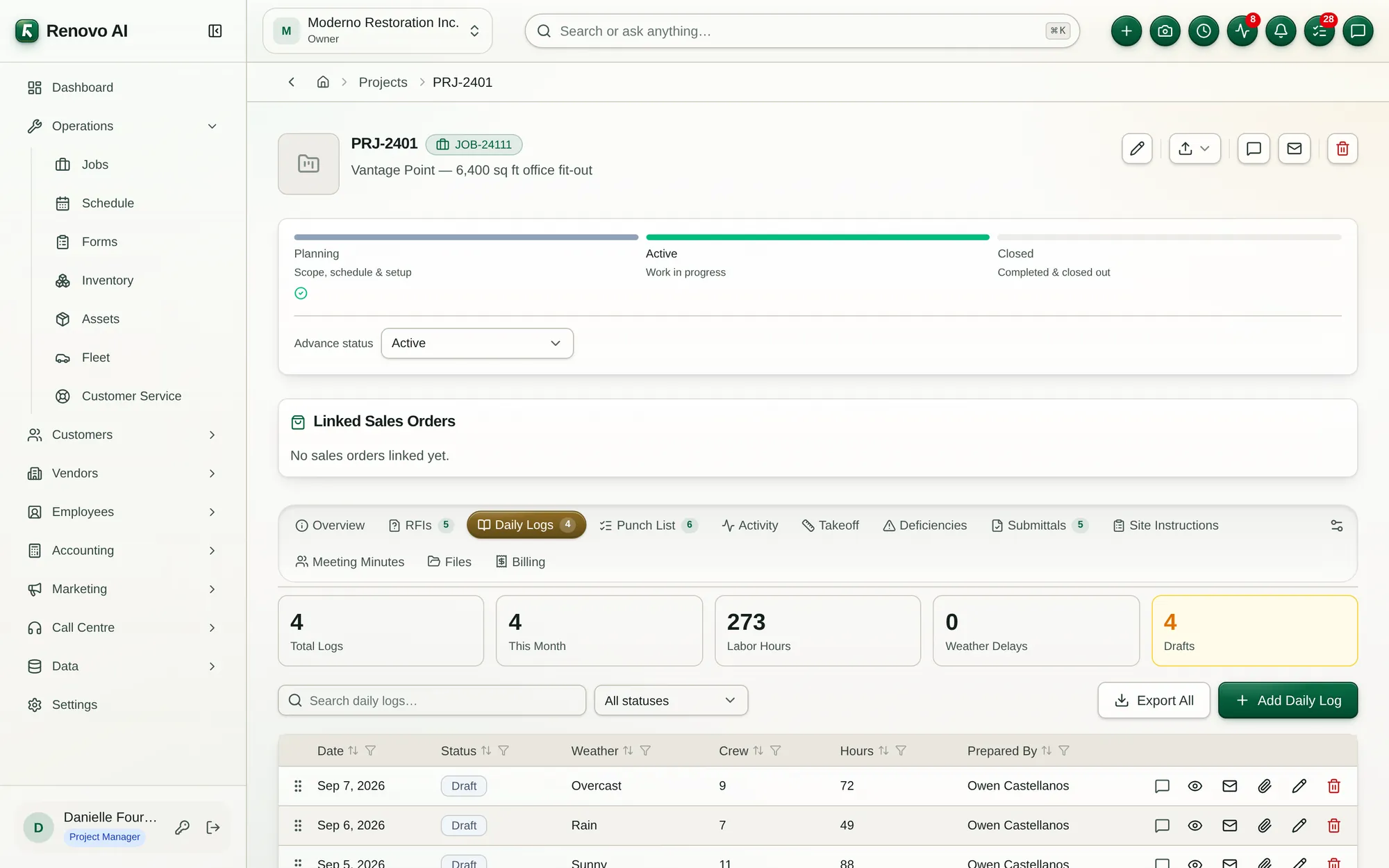
Renovo project workspace with planning, field operations, files, financials, and analytics
PROJECT WORKSPACEOne place to run the complete project.

Move between scope, schedule, field records, documents, accounting, and analytics without losing context.
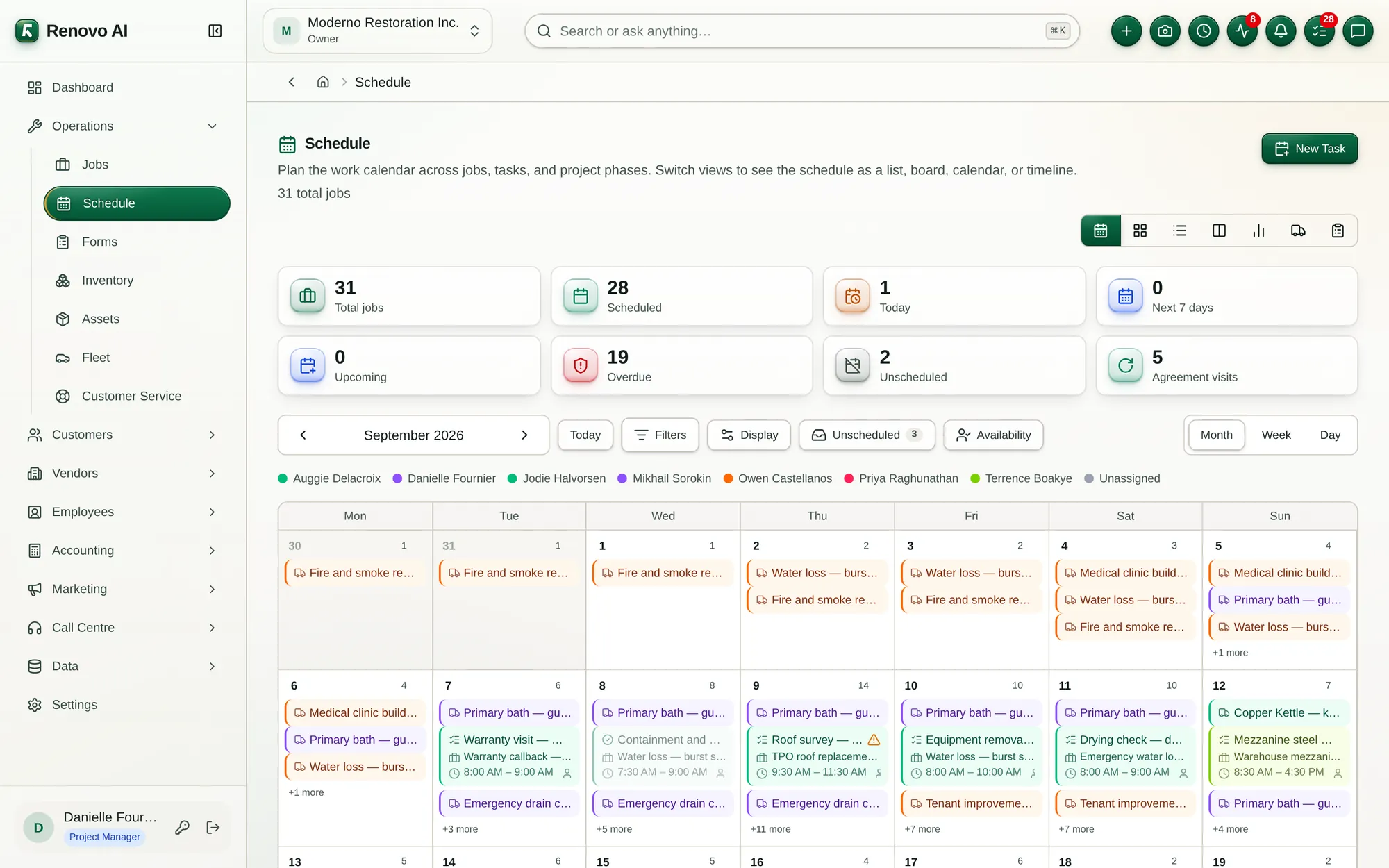
Renovo schedule showing project work, dates, crews, and assignments
LIVE SCHEDULEAlign milestones, crews, assets, and constraints.

Keep office and field teams working from the same current plan.

BUILT AROUND HOW RENOVO WORKS

From the first drawing
to the final billing.

COMMAND / 01

Know where every project stands.

Start each day in a live command centre for project health, priorities, financial exposure, schedule pressure, and team activity.

  • Project Overview dashboard
  • Activity
  • Schedule
  • KPIs
PRECON / 02

Turn drawings into an executable plan.

Create the commercial opportunity, develop the scope, measure the drawings, and move an accepted proposal into delivery without rebuilding the record.

  • Proposal
  • Takeoff
  • Estimating
  • Files
FIELD / 03

Keep field controls connected to the work.

Give project managers, superintendents, consultants, and trade partners one structured place for questions, proof, decisions, quality, and close-out.

  • RFIs
  • Daily Logs
  • Deficiencies
  • Punch List
  • Submittals
  • Site Instructions
  • Meeting Minutes
FINANCE / 04

Bill from the same project truth.

Connect operational progress to accounting so finance can see commitments, actual cost, earned progress, payment applications, billing history, and margin.

  • Accounting
  • Progress Billing
  • CCDC billing style
  • AIA billing style
PEOPLE + ASSETS / 05

Put every resource where it creates value.

Coordinate conversations, employees, materials, tools, and field assets against active project demand—with accountability from the office to the site.

  • Internal Messaging System
  • Inventory
  • Field Asset Management
  • Human Resources Management
COMMERCIAL-FIRST / RESIDENTIAL-READY

One operating rhythm across every project type.

  • Office and mixed-use buildings
  • Warehouses and distribution centres
  • Industrial and manufacturing facilities
  • Institutional and tenant improvements
  • Multi-residential developments
  • Residential homes and communities
  • General contractors and developers
  • Project, field, finance, and HR teams
OPERATIONAL OUTCOMES / 03
01

Protect budget and forecast

02

Connect field and office

03

Deliver predictable project outcomes

RECOMMENDED MODULES / 04

A strong starting
configuration.

Begin with the Renovo cores most closely tied to construction, then expand into the full operating system.

Field professionals coordinating work
READY WHEN YOU ARE

See Renovo for construction.

Tell us where the friction is highest. We’ll map the right modules, rollout, and starting plan.