Show what happened.
Record photos, walkthrough videos, narrated notes, and 360° room views from the jobsite.
Run every insured loss from first notice and initial inspection through mitigation, drying, reconstruction, carrier reporting, job costing, and close-out—with field evidence and financial performance in one claim record.

Water damage · fire damage · mould · contents · rebuild
Capture every job detail with photos, videos, notes, and 360° images—so the proof needed to approve, bill, and collect is already attached to the loss file.

“Temperature, relative humidity, GPP, dew point, and material moisture readings are time-stamped against the room and compared with the established dry standard.”
Record photos, walkthrough videos, narrated notes, and 360° room views from the jobsite.
Keep the evidence connected to the claim, room, date, technician, and stage of work.
Renovo AI transcribes the technician’s narration and summarizes the conditions observed.
Share a clear, time-stamped visual record that supports scope, approvals, invoicing, and collections.
 FIELD TECHNICIANS / CANADA
Field technicians should not have to be professional writers. They can put down the keyboard, record a video, and simply narrate what they see. Renovo AI handles the heavy lifting by transcribing their voice and summarizing the loss details.
Stop driving from site to site just to verify scope. With real-time syncing and visual summaries, project managers can see the exact condition of a property as the team captures it—and manage more jobs with total confidence in the documentation.
Visual summary ready for project manager review.
Renovo gives mitigation teams, project managers, estimators, adjusters, and finance leaders one defensible source of truth for every insured loss—whether the property is a winter-loss home in Canada or a storm-affected building in Florida.

Record temperature, relative humidity, GPP, dew point, surface and material readings. Compare affected and unaffected areas, establish a dry standard, and preserve a time-stamped audit trail.
Pin readings to rooms, walls, ceilings, floors, and material assemblies. Turn daily monitoring into visual moisture maps and drying logs that make progress easy to verify.
Create floor plans in the field, organize dimensions and affected areas by room, and connect photos, readings, notes, scope items, and equipment to the exact location.
Place air movers, dehumidifiers, air scrubbers, heaters, and extraction equipment on the floor plan. Track serial numbers, ownership, drop-off, moves, monitoring, pickup, run days, and utilization.
Generate clear initial inspection, emergency response, mitigation, progress, adjuster, completion, and cause-of-loss reports from the same verified job record.
Track acknowledgement and contact times, inspection turnaround, estimate cycle time, documentation completeness, equipment days, job duration, supplements, response compliance, and claim profitability.
Build insurer-, TPA-, franchise-, branch-, program-, and catastrophe-specific reports without rebuilding the claim file. Filter performance by carrier, peril, region, project manager, or date.
Keep FNOL details, authorizations, communications, contents, asbestos or mould documents, safety forms, photos, signatures, costs, invoices, and collections connected from dispatch to close-out.
Contents work is a logistics operation, a valuation record, and a promise to the policyholder. Renovo connects every item, photo, box, room, movement, cleaning decision, storage location, value, and return to the same claim.
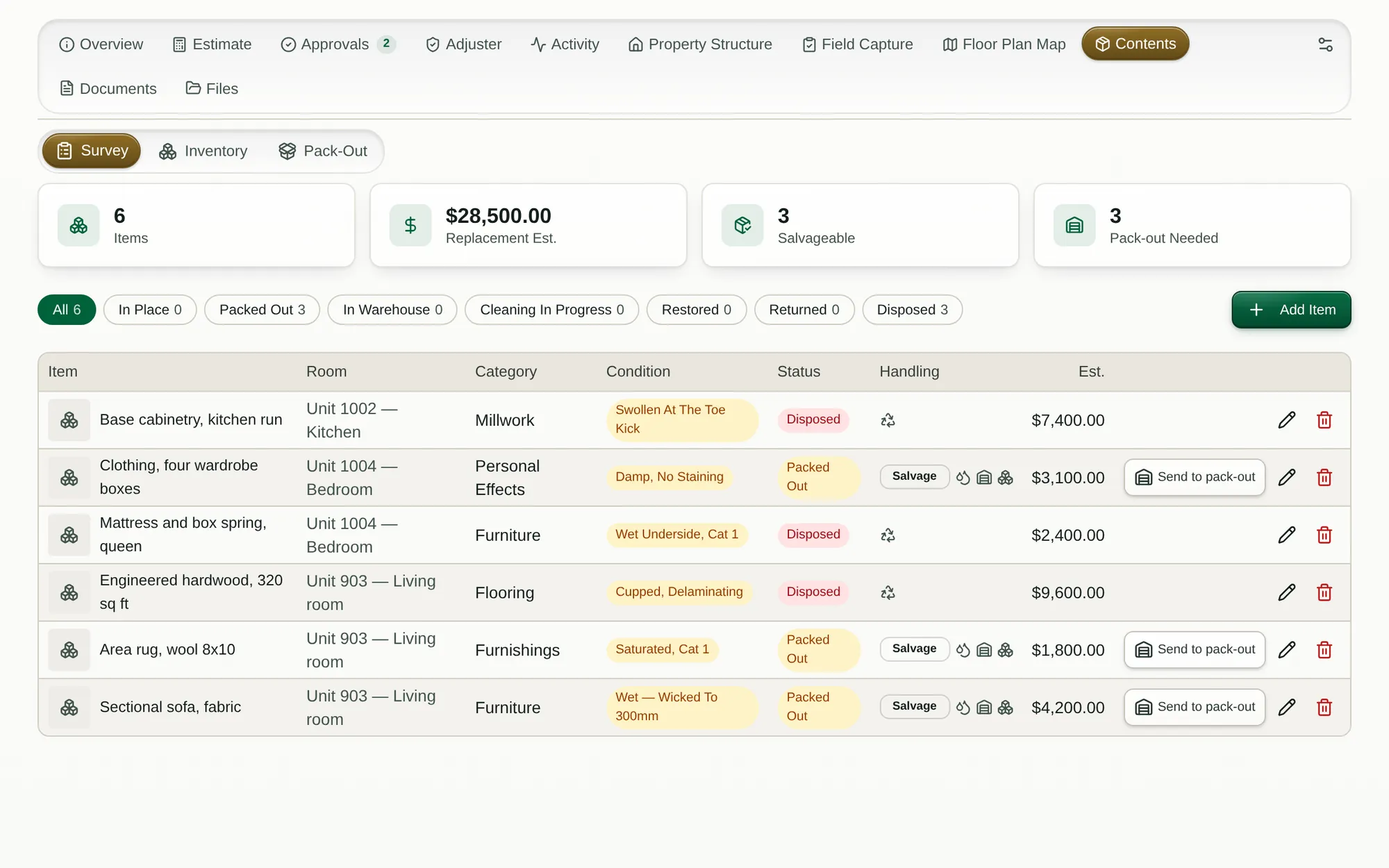
Separate salvageable from non-salvageable contents, preserve valuation detail, and prepare a clear adjuster report.
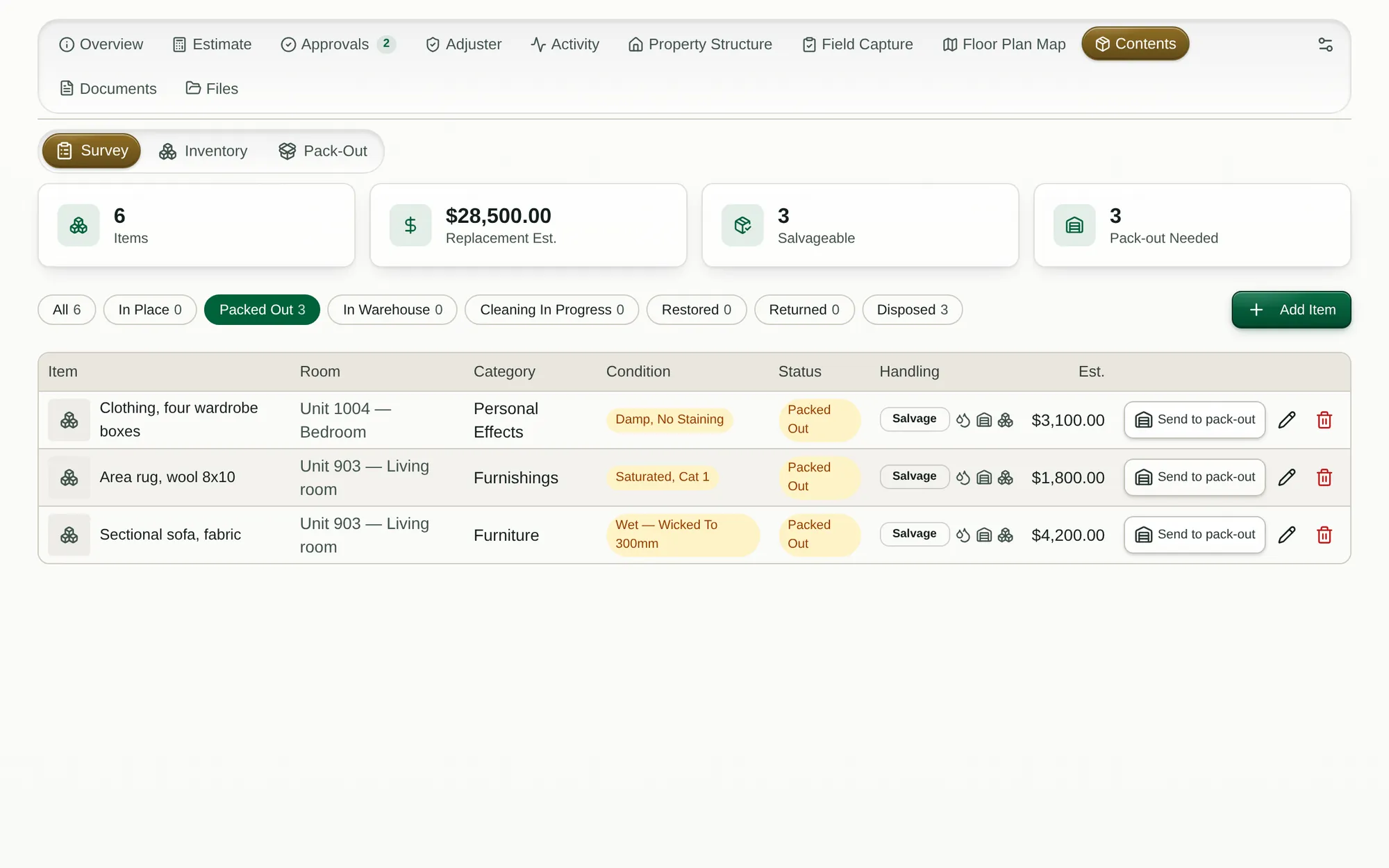
Run on-site sessions, scan boxes, link each movement to the claim, and follow progress through return.
Document affected rooms and evaluate each item as salvageable, questionable, or non-salvageable before anything moves.
Photograph, barcode, scan, categorize, and value contents by room, claim, condition, quantity, declared value, replacement cost, and ACV.
Create a claim-linked session, assign the crew, generate box labels, scan items into containers, and record every movement from the property.
Route contents through the right cleaning, drying, deodorization, textile, electronics, or specialty-restoration process.
Maintain chain of custody with box, vault, warehouse, and status visibility while contents remain in secure, controlled storage.
Scan items out, return them to the correct room, confirm condition and delivery, capture sign-off, and close the contents portion of the claim.
WORKFLOWS FOR RESTORATION


Begin with the Renovo cores most closely tied to restoration, then expand into the full operating system.
Tell us where the friction is highest. We’ll map the right modules, rollout, and starting plan.
Water mitigation, fire, mould, insurance claims, estimating, job management, CRM and job costing — each in detail. The restoration software overview →