01 / COMMAND
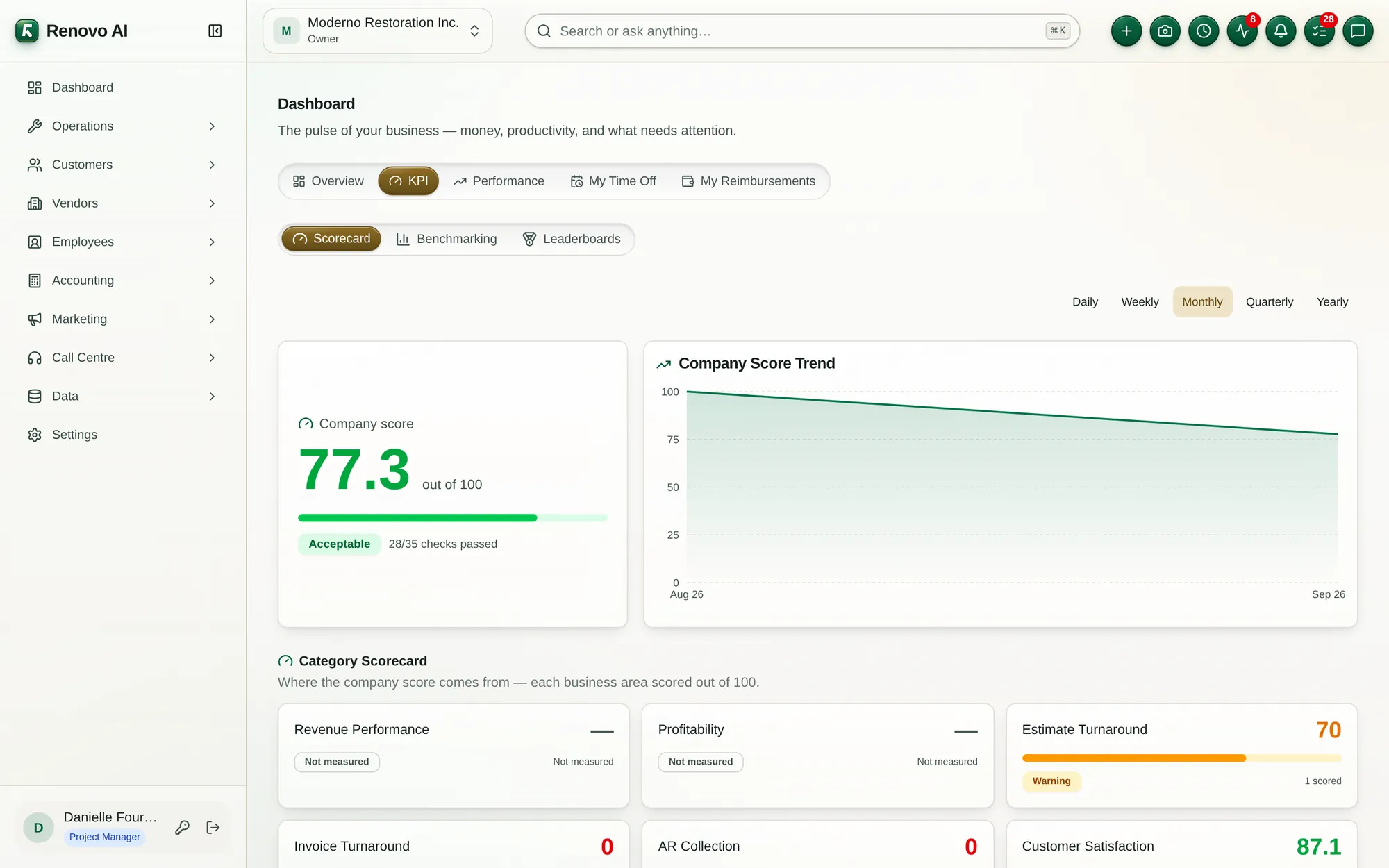
Dashboard
Surface overdue work, suggested fixes, KPIs, productivity, and cash signals in one operating view.
See how it connects ↗Renovo gives field, office, and finance teams one connected place to run the work—from a live dashboard to the final bank reconciliation.

These screens come from Renovo’s public demo workspace and show how daily exceptions, jobs, schedules, and financial flows stay connected.
Surface overdue work, suggested fixes, KPIs, productivity, and cash signals in one operating view.
See how it connects ↗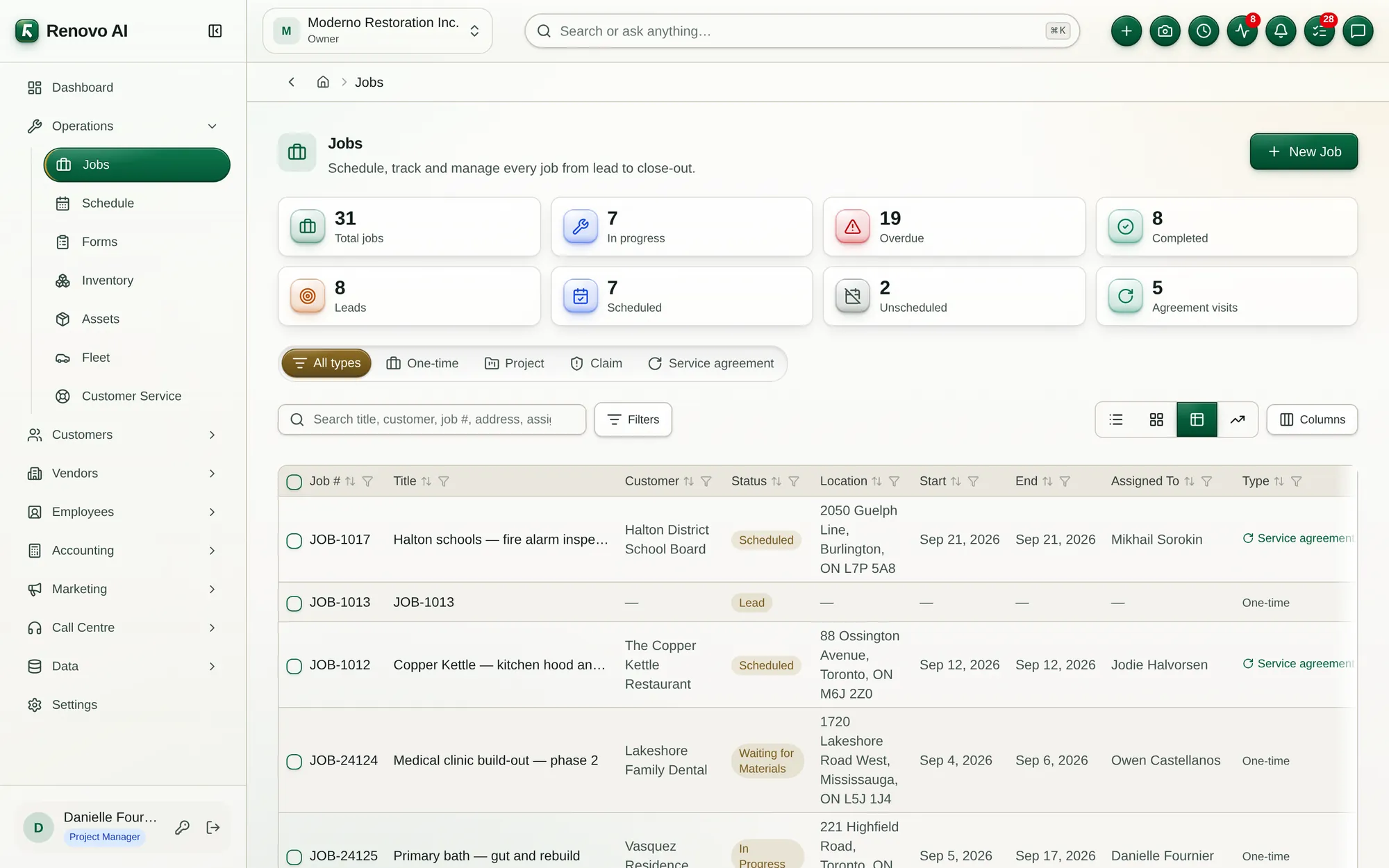
Move every job from lead to close-out with live status, scheduling, ownership, and exception visibility.
See how it connects ↗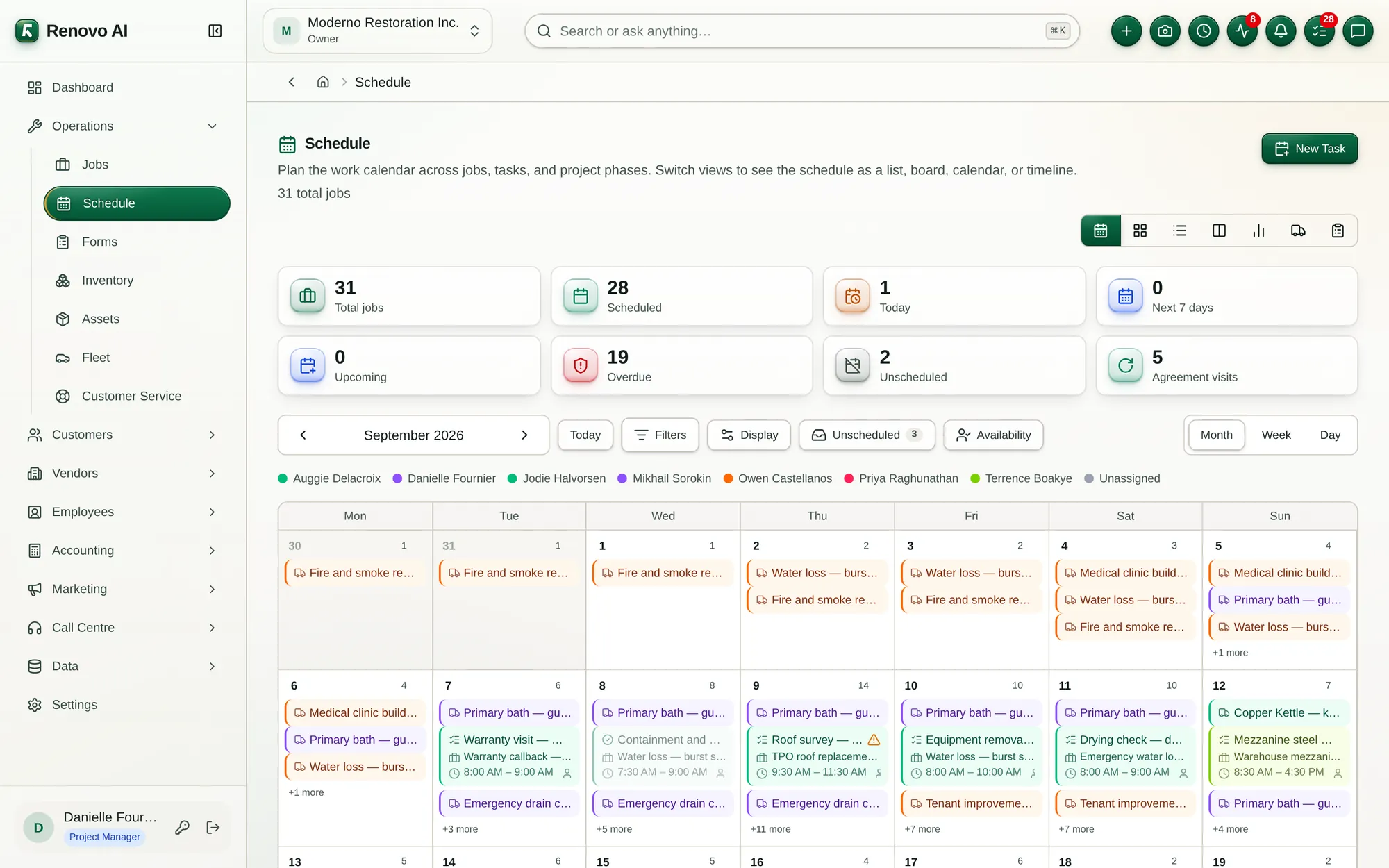
Plan work across jobs, tasks, and project phases in calendar, list, board, or timeline views.
See how it connects ↗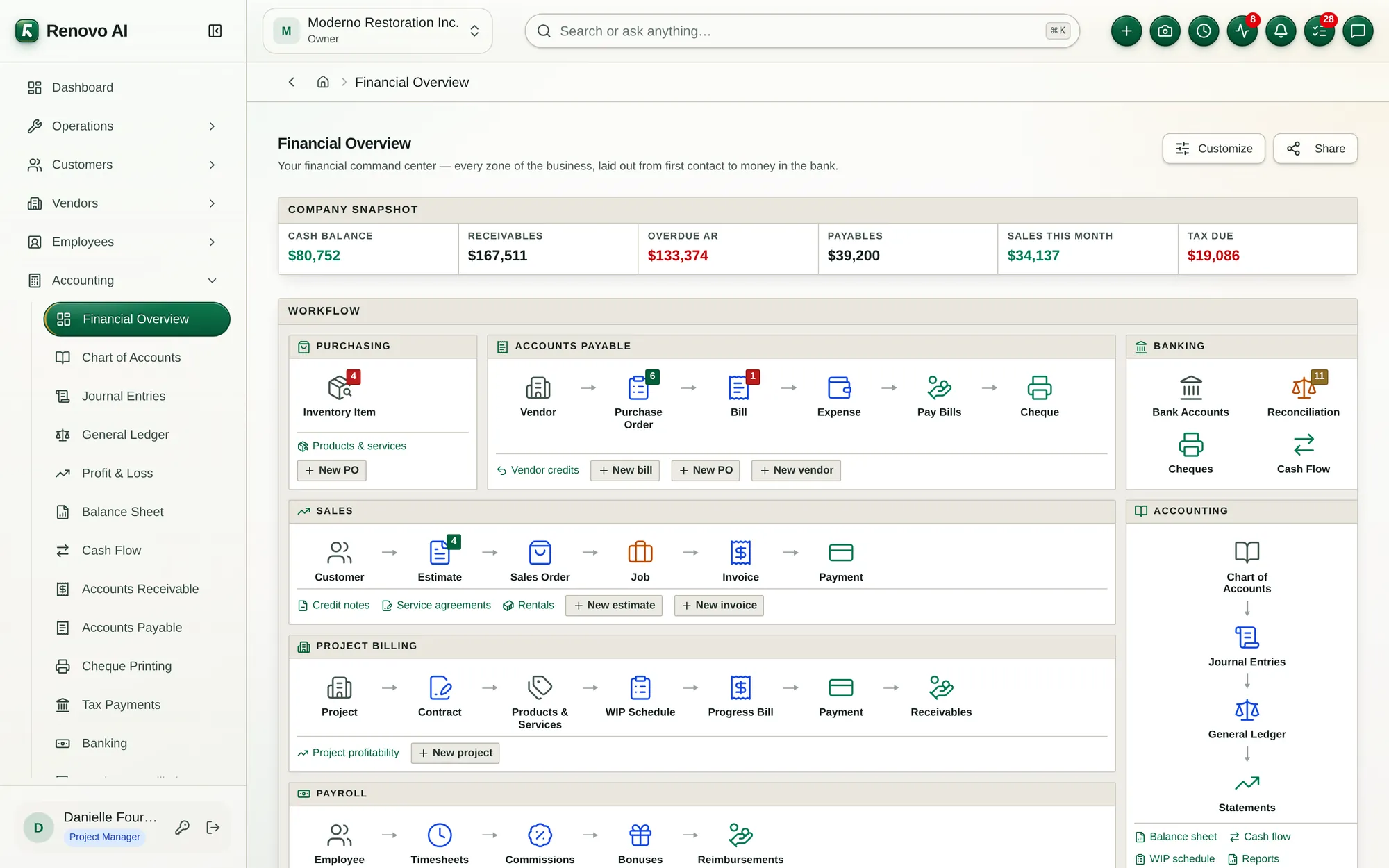
Follow the complete path from purchasing and payroll through receivables, banking, and reporting.
See how it connects ↗Screens show demo data. Interface details may evolve as the product develops.
The same operational record can support the technician, project manager, warehouse, customer, vendor, payroll team, and controller.


Each module family has its own page with the workflows and capabilities included.
Control the work from portfolio view to the next crew action.
View modules ↗OPSKeep every item, asset, vehicle, rental, and service request moving.
View modules ↗REVTurn demand into durable relationships and cash flow.
View modules ↗VNDCoordinate outside partners without losing the audit trail.
View modules ↗PPLConnect the people doing the work to the economics of the work.
View modules ↗FINA complete financial core built into daily operations.
View modules ↗Tell us where the friction is highest. We’ll map the right modules, rollout, and starting plan.